
How to create and join a Friendly (Head to Head)
Every match on CFFCup, from the groups to the final, is a Friendly · Head to Head (live 1 vs 1) in FC Mobile. For each match one player creates it (🏠) and posts its match ID (6 digits) on CFFCup; the other joins with that ID.
🏠 You create the match
When your match shows 🏠 “You create the room”.
- 1
Step 1
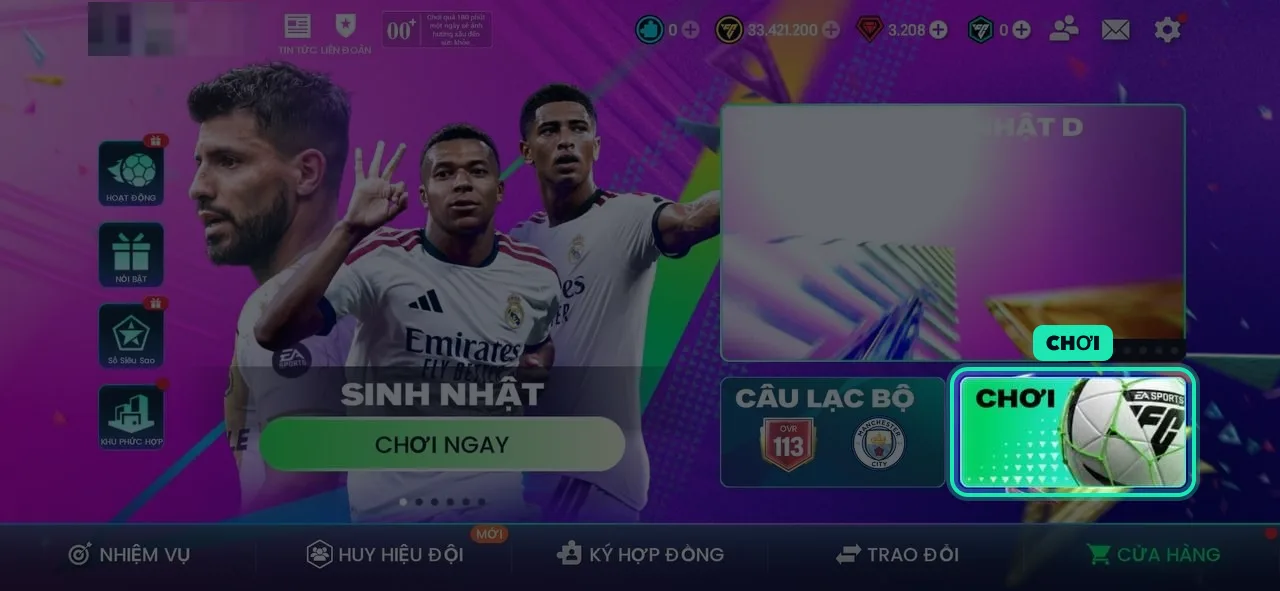
Tap PLAY on the home screen
Open FC Mobile and tap PLAY (bottom right of the home screen).
- 2
Step 2
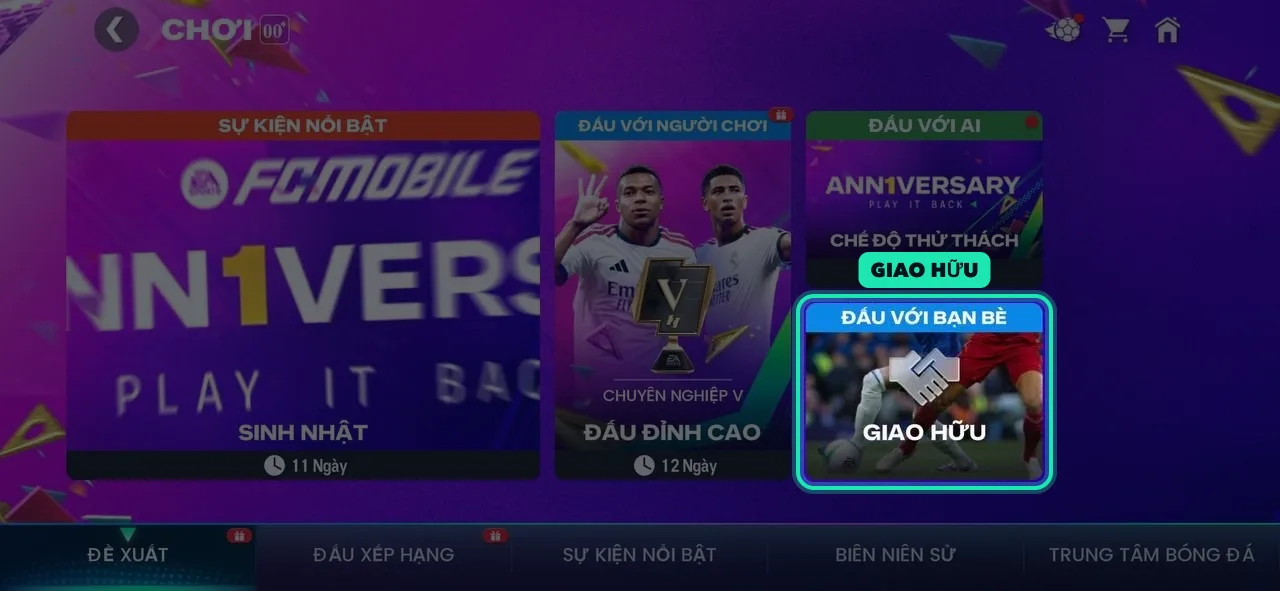
Pick Play with friends: FRIENDLY
On the Featured tab, pick FRIENDLY (Play with friends).
- 3
Step 3
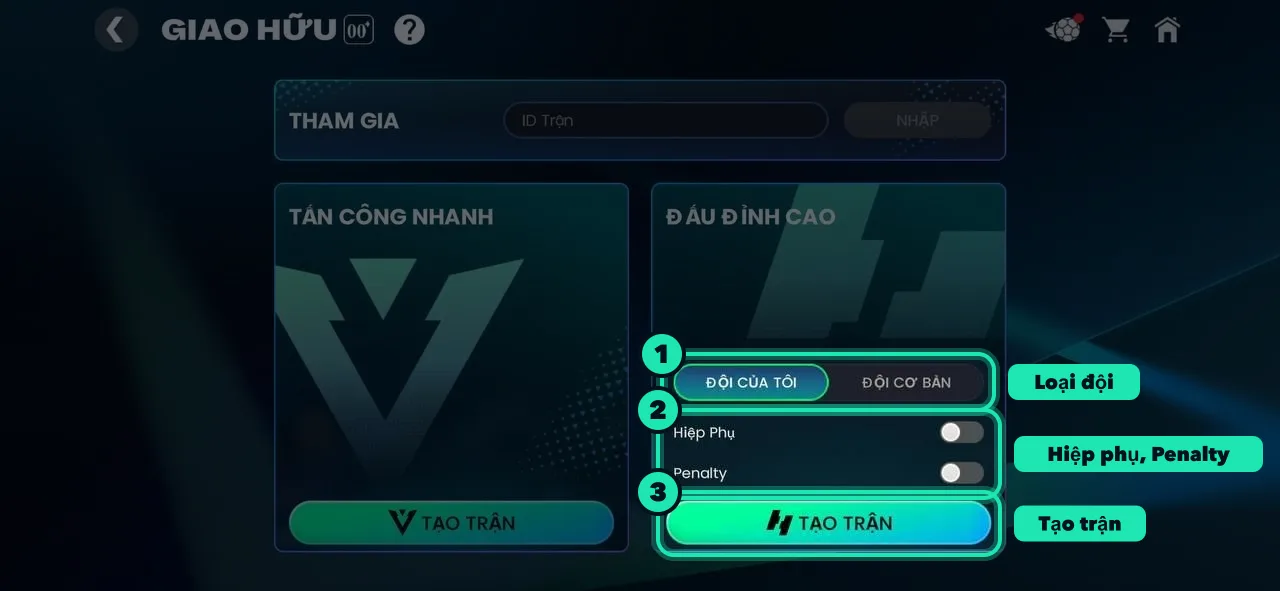
Under HEAD TO HEAD: team, extra time, penalties, then CREATE MATCH
Pick My Team or Basic Team as the tournament says, and set Extra time and Penalties as your match card on the site shows. Not VS Attack (it isn't a live match).
- 4
Step 4
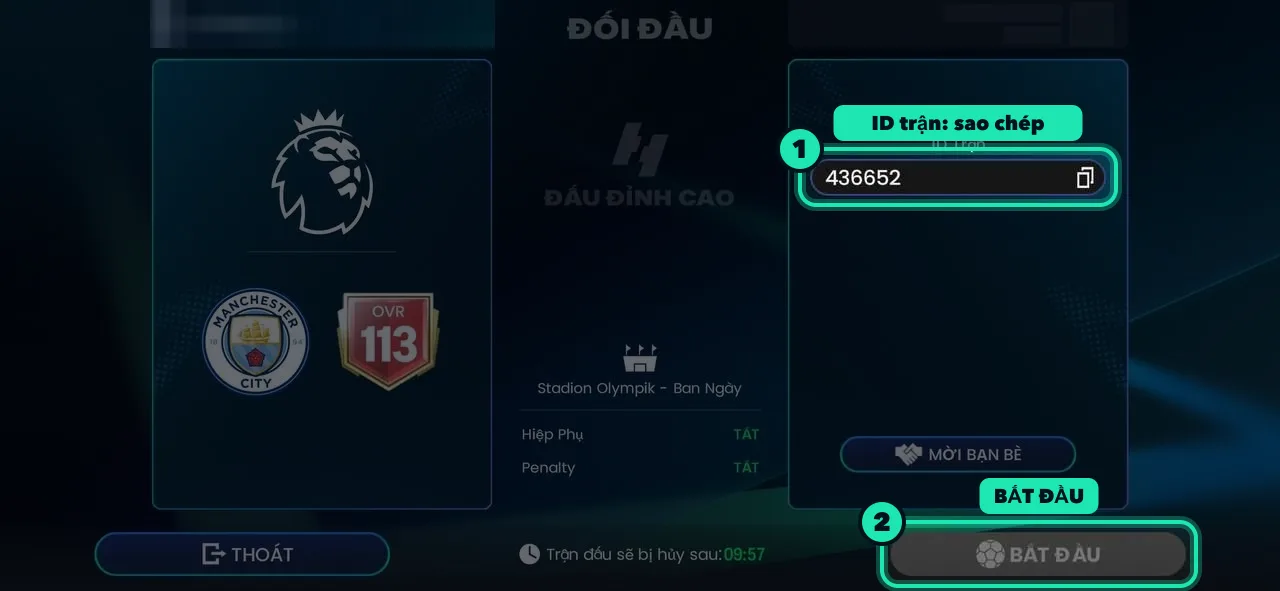
Post the match ID on CFFCup
The lobby shows the Match ID (6 digits). Copy it, open the tournament page, paste it into “Match ID” on your match card and tap Send: your opponent is told at once. Once they're in, tap START. The game cancels a match not started within 10 minutes: create a new one and post its new ID.
🎮 You join your opponent's match
When your opponent creates it. Its match ID shows on your match card the moment they post it.
- 1
Step 1
Go to PLAY → FRIENDLY
From the home screen tap PLAY, then FRIENDLY (Play with friends) on the Featured tab.
- 2
Step 2
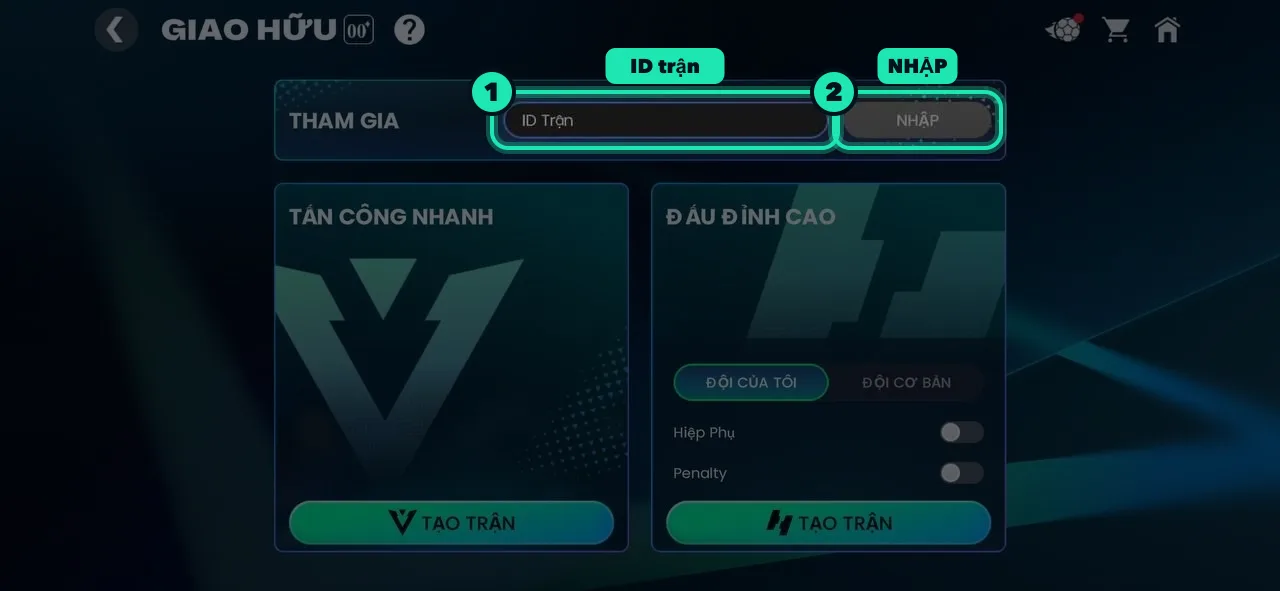
Type the match ID under JOIN and tap ENTER
Paste the ID your opponent posted on the site into Match ID, tap ENTER, and wait for them to start.
✅ After the match
- Screenshot the end-of-match screen (the score, the clock at 90:00 and both names). On your own screenshot you're always on the left.
- Post it in the match chat and Trọng tài eAI reads it and reports the score, or use Report result on the match card; the other player confirms or disputes it.
- No answer within 3 minutes and the result stands.
🛟 Trouble?
- Can't join: check the ID; the game may have cancelled the match (not started within 10 minutes): ask your opponent to create a new one and post its ID.
- Friends in the game: the creator can tap INVITE FRIENDS instead of posting the ID.
- Your opponent hasn't posted an ID or doesn't come: write in the match/group chat, report them absent, or tell the group host/admins.